


Rank Math SEO Plugin is a powerful free tool to boost your WordPress site’s search rankings. It helps optimise content, track performance, and improve SEO with features like Google Schema markup, SEO analysis for up to five focus keywords, 404 monitoring, redirections, and content readability checks. Its free plan is feature-rich, offering advanced SEO suggestions and a built-in redirection manager. While setup may feel overwhelming for beginners, Rank Math is ideal for users seeking a comprehensive, easy-to-use SEO solution without paying for premium tools.
Why You Need the Best WordPress SEO Plugin
Optimising your WordPress site for search engines is essential to attract more visitors and grow your online presence. SEO plugins simplify tasks like creating meta titles, generating sitemaps, adding schema markup, and improving content readability.
Consider this: 75% of searchers never click past the first page, and the top 5 results get 67% of all clicks. These stats show why ranking high is crucial.
The right SEO plugin equips your site with tools to implement best practices, track performance, and boost rankings—all without needing advanced SEO knowledge.
Next, we’ll explore the top WordPress SEO plugins, their features, pros, and cons to help you choose the best one for your site.
All-in-One SEO (AIOSEO)
Introduction:
All-in-One SEO (AIOSEO) is a beginner-friendly free WordPress plugin that provides a solid SEO foundation without complicated settings. It’s perfect for users who want simplicity and reliability.
Key Free Features:
- Setup Wizard: Guides beginners through SEO configuration.
- Automated XML Sitemaps: Helps search engines index content.
- Open Graph Meta Tags: Optimise social media sharing.
- Basic Schema for Breadcrumbs: Improves search result appearance.
Pros: Beginner-friendly, quick setup, clean dashboard
Cons: Lacks advanced tools like redirection and rich snippets
Verdict:
AIOSEO is ideal for users seeking a fast, simple, and reliable SEO setup without advanced features.
AIOSEO makes SEO easy, but we can help take it further. At TechnishWeb, we optimise your site, configure plugins, and boost rankings. Contact us today to improve your WordPress SEO!
SEO Press
Introduction:
SEOPress is a lightweight, beginner-friendly SEO plugin for WordPress. It’s perfect for users who want more features than Yoast but less complexity than Rank Math, all while keeping their site fast.
Key Free Features:
- Google Analytics Integration: Track traffic and performance easily.
- Redirection & 404 Monitoring: Fix broken links to protect SEO.
- Clean XML Sitemaps: Help search engines index your pages.
- Open Graph & Twitter Cards: Optimise content for social media.
Pros: Lightweight, fast, practical SEO tools, clean interface
Cons: Less brand recognition, limited content analysis
Verdict:
SEOPress is ideal for users seeking a fast, reliable, and uncluttered SEO plugin that balances essential features with performance.
Yoast SEO Plugin
Introduction:
Yoast SEO is a beginner-friendly WordPress plugin that helps optimise content and improve readability. It’s perfect for small sites or users new to SEO.
Key Free Features:
- Traffic-Light System: Guides content optimisation.
- Readability Analysis: Checks sentence structure, passive voice, and flow.
- XML Sitemaps: Helps search engines index pages.
- Meta Titles & Descriptions: Templates for consistent SEO.
Pros: Simple, intuitive, large support community, readability guidance
Cons: Only one focus keyphrase, no schema or rich snippets, limited advanced features
Verdict:
Ideal for beginners seeking easy content optimisation, though power users may prefer Rank Math or SEOPress.
The SEO Framework
Introduction:
The SEO Framework is a lightweight, automated SEO plugin for WordPress. It’s perfect for experienced users who want a “set it and forget it” solution for core SEO tasks.
Key Free Features:
- Automated Meta Tags: Generates titles and descriptions automatically.
- XML Sitemaps: Helps search engines index your site.
- Open Graph Tags: Optimises content for social media.
- Ad-Free & Lightweight: Minimal impact on site speed.
Pros: Fast, automated, ad-free, low maintenance
Cons: No content suggestions, not beginner-friendly, limited advanced features
Verdict:
Ideal for users seeking a hassle-free, automated SEO plugin. Beginners or those wanting guidance may prefer Rank Math, Yoast, or SEOPress.
How to Pick the Best Free SEO Plugin for WordPress
Depending on your needs and expertise, here’s a quick guide:
- For maximum power: Rank Math – Most free features for users willing to spend time on setup.
- For beginners: All-in-One SEO (AIOSEO) – Easy and foolproof setup, ideal for fast deployment.
- For balance of speed & features: SEOPress – Lightweight yet feature-rich for performance-minded users.
- For a simple, trusted solution: Yoast SEO – Intuitive interface but limited free features.
- For hands-off automation: The SEO Framework – Automatically handles technical SEO with minimal effort.
Pro Tip: Use an activity log to track changes. This adds an extra layer of security by showing who made edits and when, helping to troubleshoot issues quickly.
Our Top 3 WordPress SEO Plugin Picks
If you want a quick overview, here are the recommended top plugins:
| Plugin | Description | Key Features |
| AIOSEO | User-friendly, comprehensive SEO solution | On-page SEO analysis, Schema markup, XML sitemaps, Social media integration, WooCommerce SEO tools, and User role management |
| SEMRush | Best for marketers, bloggers, and business websites | Keyword research, Competitor analysis, SEO Writing Assistant, Position tracking, Comprehensive SEO toolkit |
| Google Search Console | Free tool from Google to monitor visibility | Crawl error reporting, Keyword ranking data, and identify content opportunities |
How We Tested the SEO Plugins
- Hands-on use: Tested each plugin on multiple real websites.
- Feature analysis: Evaluated ease of use, customisation, functionality, and pre-made templates.
- Target audience clarity: Explained who each plugin is best suited for—beginners, marketers, or advanced users.
Why Trust SeedProd?
SeedProd is a dedicated WordPress and SEO expert team with over 13 years of experience in WordPress, digital marketing, web design, and SEO. Each plugin and theme is thoroughly tested on real websites to ensure accurate reviews and actionable recommendations.
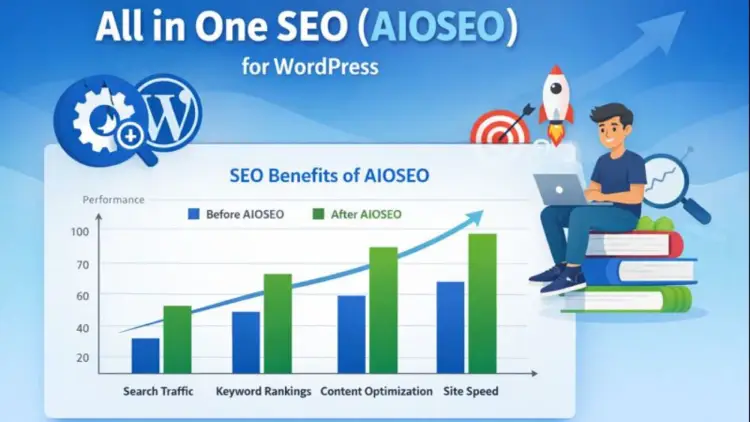
All in One SEO (AIOSEO) for WordPress
All in One SEO (AIOSEO) is a top WordPress SEO plugin with over 2 million users. It’s beginner-friendly yet powerful, offering tools to improve search rankings without complex setup.
Key Features:
- Supported Wizard & TruSEO Analysis: Page-optimise with the help of actionable checklists.
- Meta Tags & Schema: Auto-generate SEO titles, descriptions, and rich snippets.
- Sitemaps & SEO Health: Automatic XML sitemaps and SEO performance monitoring.
- Social & eCommerce SEO: Open Graph for social sharing and WooCommerce optimisation.
- Advanced Tools: Breadcrumbs, redirects, local SEO, and role-based SEO access.
Pros: Comprehensive features, intuitive interface, beginner-friendly, WooCommerce support.
Cons: Some advanced features require a paid plan.
Why Choose AIOSEO: AIOSEO combines ease of use with powerful SEO tools, making it ideal for blogs, business sites, and eCommerce stores. It’s a complete all-in-one solution for improving search visibility.
SEO quake – Quick and Insightful SEO Analysis
SEOquake is a powerful SEO tool designed for website owners and digital marketers who want fast, on-the-go insights. Available as a browser extension for Google Chrome, Mozilla Firefox, Safari, Opera, and other browsers, it provides instant SEO data for any website you visit.
Key Features:
- Page Information: View metrics like page age, last update, and website health to assess performance.
- Traffic and Ranking Insights: Check Alexa ranking, Google index status and other factors that show the popularity of the site.
- Keyword Analysis: Evaluate keyword competition directly from search results pages and get insights into SEO difficulty.
- Backlinks & Social Metrics: Quickly see backlink profiles and social signals for any page.
- Export Data: Download keyword results, site metrics, or competitive analysis in CSV format for further reporting.
Why Use SEOquake:
SEOquake is ideal for quick SEO audits. Instead of opening multiple tools, you get a snapshot of critical metrics directly in your browser. It’s perfect for spotting areas that need improvement, comparing competitor sites, and monitoring your site’s SEO performance on the go.
Pros:
- Free and lightweight browser extension
- Quick, real-time SEO insights for any webpage
- Displays backlinks, social metrics, and keyword data
Cons:
- Limited depth compared to full-fledged SEO platforms
- Primarily a diagnostic tool rather than a complete SEO solution
Recommendation: SEOquake is best for marketers, content creators, and website owners who need a fast, easy, and accessible SEO tool for everyday monitoring, competitor research, and on-the-fly audits.
Broken Link Checker – Keep Your WordPress Site Healthy
Broken Link Checker is a free WordPress plugin designed to monitor your website for broken links and missing images. Maintaining a clean, error-free website is crucial for both user experience and SEO, and this plugin automates the process so you don’t have to manually comb through your content.
Key Features:
- Automated Link Scanning: Continuously checks all posts, pages, and custom content types for broken internal and external links.
- Image Monitoring: Detects missing images across your website.
- Notifications: Alerts you immediately when a broken link or missing image is detected, so you can act quickly.
- Easy Fixing: Provides a simple interface to edit, unlink, or dismiss broken links directly from the plugin dashboard.
Why Use Broken Link Checker:
Broken links hurt user experience and SEO rankings. This plugin saves time by automatically scanning content and notifying you about any issues. Keeping links updated ensures that visitors have a smooth experience and search engines index your site correctly.
Pros:
- Completely free and easy to use
- Scans all internal and external links automatically
- Simple interface for quick fixes
Cons:
- Can be resource-intensive on very large websites
- Doesn’t provide automated suggestions for fixing links; it only identifies them.
- May occasionally generate false positives
Benefits for SEO Management:
1. Ranking Keywords for Posts:
- Discover every keyword each post is ranking for.
- Allows you tooptimisee and rewrite content for keywords you didn’t realise you were ranking for.
2. Clean & Simple User Interface:
- Intuitive UI highlights important SEO data alongside each post.
- Makes it easier to implement SEO improvements in real time.
3. Advanced Snippet Previews:
- Preview how your posts appear in search results (SERPs).
- Check rich snippets and social media previews to ensure your content looks perfect everywhere.
4. Content AI – Your Personal SEO Assistant:
- AI-powered suggestions guide you in writing SEO-friendly content.
- Helps choose the right words, phrases, and headings to improve ranking potential.
5. Position History Tracking:
- Monitor how your posts perform over weeks or months.
- Determining which SEO strategies work and which ones should be modified.
Why I Recommend Broken Link Checker:
Broken Link Checker is an essential tool for WordPress users who want to maintain a healthy, user-friendly, and SEO-optimised website. By automatically detecting broken links and missing images, it helps prevent negative SEO impact, improve user experience, and ensure your website stays professional and reliable.
Which Are the Best WordPress SEO Plugins?
After reviewing and testing the wide variety of WordPress SEO plugins and tools, the question often arises: which plugin should you actually choose? Based on my hands-on experience and thorough testing, here’s a detailed recommendation:
All in One SEO (AIOSEO) – The Best WordPress SEO Plugin.
All in One SEO (AIOSEO) stands out as the most user-friendly and comprehensive SEO plugin for WordPress. It’s suitable for beginners and advanced users alike, offering a full suite of tools to manage your website’s SEO.
Why AIOSEO is the Best Choice:
- Easy Setup: The setup wizard allows you to configure the essential SEO settings in just a few minutes.
- On-Page Optimisation: TruSEO on-page analysis provides actionable checklists for posts and pages.
- Advanced Features: Rich snippet schema, XML sitemaps, social media metadata, and WooCommerce SEO tools are all included.
- Customizable SEO Controls: Manage access for different user roles, ensuring your team can work efficiently without risking SEO mistakes.
AIOSEO is perfect for those who want a reliable, all-in-one solution that eliminates the need to install multiple plugins to cover SEO basics and advanced features.
SEMRush – Best WordPress SEO Tool
While AIOSEO focuses on plugin-based on-site SEO management, SEMRush is a complete SEO toolkit for broader digital marketing needs.
Why SEMRush is Highly Recommended:
- Keyword Research: Discover new opportunities and analyse competitor keywords to improve your content strategy.
- Position Tracking: Monitor how your website ranks over time for target keywords.
- Comprehensive SEO Insights: Audit your site for technical issues, backlinks, and performance metrics.
- Content Optimisation: Suggests improvements based on competitor analysis and SEO best practices.
Together, AIOSEO and SEMRush form a complete SEO framework. AIOSEO handles your WordPress site’s technical and on-page SEO, while SEMRush provides strategic insights and performance tracking to grow your online presence.
How These Tools Help Your Website
By using these tools in combination, you can:
- Improve search engine visibility and rankings
- Optimise content for target keywords and search intent.
- Monitors real-time performance of SEO and reconfigures strategy.
- Automate key SEO tasks to save time and reduce errors
- Build a professional, scalable SEO foundation for your website or blog
Additional Resources for Website Growth
To further enhance your website’s performance and marketing strategy, consider checking out these guides:
- How to Redesign a Website Without Losing SEO: Ensure your site refresh doesn’t hurt search rankings.
- Best WordPress Landing Page Plugins: Boost conversions with optimised landing pages.
- 17 Expert Landing Page Optimisation Tips: Proven strategies to improve visitor engagement and sales.
Final Thoughts
Choosing the right SEO plugin is key to improving your WordPress site’s performance and rankings. Rank Math is ideal for advanced users, AIOSEO for beginners, SEOPress for speed and functionality, and Yoast SEO for simplicity. Tools like SEOquake and Broken Link Checker help monitor performance and fix issues.
The best SEO results come from consistently optimising content, tracking performance, and using the right combination of plugins and tools to grow traffic and improve user experience.
Frequently Asked Questions
1. Which SEO plugin is best?
Rank Math for advanced users, AIOSEO for beginners, SEOPress for speed, and Yoast for simplicity.
2. Can I use multiple plugins?
Avoid combining full SEO plugins, but tools like SEOquake or Broken Link Checker can be used safely alongside.
3. Do free plugins support rich snippets?
Rank Math and AIOSEO offer basic schema; others, like Yoast free, have limited support.
4. How to monitor SEO performance?
Use SEOquake for metrics, Broken Link Checker for errors, and plugin dashboards to track optimisation.