

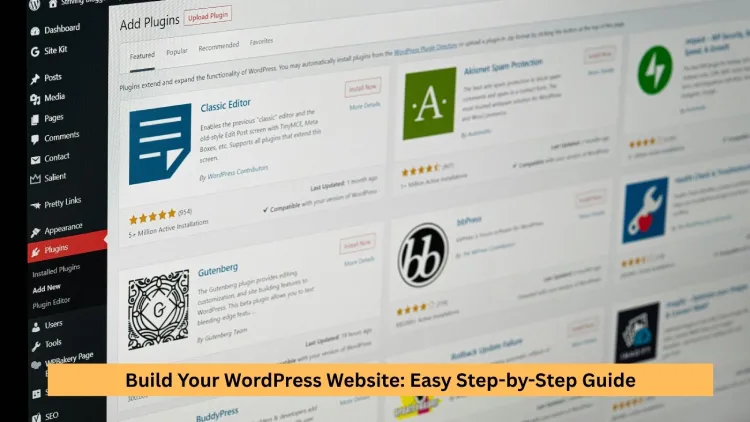
So, how do you build your WordPress website? You might think it’s a complicated process, but it’s easier than you expect. You do not have to learn how to write their code, spend a lot of money on tools, or spend months studying. Within only a few clicks of domain choice, hosting, installing WordPress, choosing a theme, and optimizing with SEO, you can have a fully functional site.WordPress remains one of the best platforms in 2026 due to its flexibility, scalability, and ease of use. Blogging, selling products, or developing a business site; whichever you may want to do, you can, with the proper approach, do all or at least a good portion of it in a few days.
What is WordPress and Why Choose It?
WordPress is a content management system (CMS) that enables users to create and manage websites without requiring complex technical knowledge. Millions of websites, both enterprises and small blogs, use it.
The major advantages of WordPress
Easy to Use Interface
Novices are able to learn the dashboard quickly. Although you might not have constructed a site at all, with practice, you can learn to construct a WordPress Website without any complications.
Highly Customizable
You can create anything, with thousands of themes and plugins, starting with a personal blog and up to a full online store can be created.
SEO-Friengine-friendly
WordPress is search engine-friendly. Together with plugins, it assists in improving positions and appearance.
Scalable to any Business.
WordPress is easily extensible, whether it is from the beginnings of a startup or those of a worldwide organization (including the government and large institutions).
No Coding Required
The opportunity to not require any knowledge of programming is one of the most significant advantages, as it is a lot easier to use than HTML or custom code.
Whether or not WordPress is worth it in 2026 is a question many people ask–the answer is yes. It is one of the most stable available platforms that is constantly updated and enhanced with AI.
Step 1: Select a Hosting and a domain name
You require a domain name and a hosting service before you begin to construct.
What You Need to Get Started
- Domain Name (Your Web Address)
- This is your Web name (e.g., yourwebsite.com).
- Web Hosting (Where Your Site Lives)
Hosting places your files on the server for users to access from all over the site.
Domain tips
- Opt to keep it short and brandable.
- Use relevant keywords
- Avoid confusing characters
How to choose a WordPress host
- Look for high uptime (99.9%+)
- Make loading at high speeds.
- Freebacks and Nixon free SSL check.
- Read original user reviews.
The hosting provider will have a direct impact on the performance of your website, its SEO, and user experience.
Step 2: Install WordPress
WordPress can be installed in a single click and generally takes a single click through your host.
How to install WordPress
- Log in to your hosting account.
- Select “Install WordPress”
- Enter details of your websites.
- Click install
Your site will be up in a few minutes. This is the initial step in knowing how to create a WordPress site in stages, since it forms the basis of all other things.
It can be completed even with no technical expertise by amateurs, which demonstrates that yes–you can create a WordPress Website yourself.
Step 3: Select a Professional Theme
A subject does the trick to determine the appearance and feel of your site.
Theme: What to look for in a Theme
Responsive Design: Operates perfectly on the hand-helds.
Fast Loading Speed: Enhances user experience and rankings.
Customization Options: Enables change of design without well-chosen ThemeSelection Matters
A well-chosen theme makes sure that your site feels up to date. Bad ones demonstrate a sluggish site and damaged WordPress.
There are free and premium WordPress themes. Although free versions are very suitable for a starter, the premium themes are powerful and offer more advanced features and support.
Step 4: Installing the bare necessities
The use of plugins enhances the functionality of your Website.
Needs WordPress Plugins
Assist in making your site search engine-friendly.
Security Plugins
Prevail against malware and hackers.
Caching Plugins
Improve loading speed
Backup Plugins
Secure your data
Page Builders
Enable drag-and-drop design
You can easily customize your site without writing any code with the help of Plugins. But beware not to add excessively many plug-ins, as this will grind down the performance.
Step 5: Create Important Pages
All websites require necessary pages in order to work effectively.
Critical Pages to Develop
Home Page
Your home page.
About Page
Develops trust and credibility.
Contact Page
This will bring you in touch with users.
Blog Page
For publishing articles
Legal Pages
Terms of service and privacy policy.
The development of such pages is one of the essential aspects of WordPress website development.
“Need help creating these essential pages? At TechishWeb, we offer professional WordPress website development services to build fully functional, SEO-ready sites for you. Contact us today!
Step 6: Personalize your web design, as it greatly enhances user experience
Design Advice by Starter Designers
- Have straightforward layouts.
- Use consistent colors
- Choose readable fonts
- Avoid clutter
Effective Design Components
- Navigation menu
- Header and footer
- Call-to-action buttons
Easy, fast, easy to understand, consistent, and convenient use of websites are the five golden rules that can greatly enhance interaction.
Step 7: Further Optimize Your Site with SEO
Organic traffic can only be driven by SEO.
On-Page SEO Tips
- Use keywords naturally
- Optimize headings and meta tags
- Add internal links
Technical SEO Tips
- Improve page speed
- Use HTTPS
- Fix broken links
Content Strategy
- Write valuable information frequently.
- Target long-tail keywords
- Update old posts
SEO makes your site more visible and popular.
Step 8: Mobile Instagram your Website
The majority of users visit sites with the use of mobile devices.
Mobile Optimization Tips
- Use responsive themes
- Optimize images
- Simplify navigation
Mobile optimization also increases your ranking within search engines.
Step 9: Speed up the Website
Speed in websites is extremely vital for user experience.
How to Speed Up Your Website
- Use caching plugins
- Compress images
- Choose fast hosting
Having a slow site can cause bounce rates and conversion.
Step 10: Publish Your Website
When all is prepared, one is ready to go live.
Last Checklist Before Take Off
- Test all pages
- Check forms
- Optimize SEO
- Ensure fast loading
When your site is launched, advertise it using social media and advertising.
Some of the Common Mistakes to be avoided
Despite the best intentions, novices usually do something wrong when creating a WordPress web page. On the other hand, these minor mistakes have the potential to impact the performance of your site, security, and rankings unless managed efficiently.
Avoid These Mistakes
Choosing Poor Hosting
Low or low-cost hosting can reduce the speed of your site and lead to constant crashes. You should always select a good, reliable, fast, and responsive host.
Ignoring SEO
Unless your site is optimally searched, it might not feature on such search engines. Ensure that you optimize content, use keywords organically, and use generic SEO practices at the very beginning.
Using Too Many Plugins
Excessive use of the plugs may slow down your web page and cause conflicts. Minimise the number of necessary and properly kept plugins to make your site fast and secure.
Not updating WordPress
Old themes, and/or outdated plug-ins or core files, will create security risks and performance problems. Updates and periodic maintenance are necessary to make sure that you have a secure site.
Bad Web page design and navigation
Poor design or a poorly defined system may send away cu,stomers. Make your design backup clear and simple.
Failing to back up your site
In the absence of backups, everything you have in your computer is at risk of being lost due to an error. Backups. Walls and always have a backup system.
Igthatg Mobile Optimization
A website that fails to be compatible with mobile devices will lose a sizeable percentage of users. Make sure that your design is responsive.
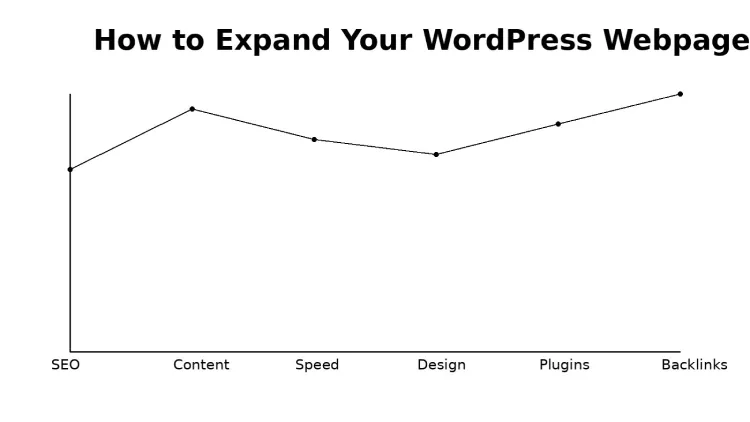
How to expand your WordPress Webpage
The construction of a site only starts. After knowing how to create a WordPress site, you should work on the continued growth, traffic, and user interaction. It takes continuous work, clever tactics, and frequent upgrading to make a good site.
Build your WordPress Website
Write Periodically on the Blog
Consistency is key to growth. Publishing quality, SEO-optimized articles is known to draw organic traffic and can keep your readers busy in the long-term.
Build Backlinks
The appearance of links on other websites increases your domain authority and achieves a better position for your site in search engines. Effective approaches are guest posting and outreach.
Use Social Media
Social media to promote your content sharing on Facebook, Twitter, and Pinterest can attract more traffic and spread awareness of your brand.
Improve User Experience
Pay attention to the speed of loading, the responsibility of mobile devices, and convenient navigation. An enhanced user experience retains customers longer on your site and enhances conversions.
Refreshing and modernising Old Content
It is also important to keep current posts updated with new material and keywords to retain rankings and ensure your content stays up-to-date.
Build an Email List
By gathering emails, you can remain in touch with your audience as well as advertise new content, products, or services directly.
Monetization Opportunities
After beginning to get traffic, you can transform your site into an income earner.
Having studied how to create a WordPress site, various users find out about other ways of earning money:
Display Ads
Advertisers such as AdSense enable you to make money on a click and impression basis.
Affiliate marketing
Advertise goods or services and receive a commission on every purchase made via your referral link.
Shall Sell Goods or Services
You are able to sell digital goods, courses, or freelance services right off your site.
Sponsored Content
Once you establish authority in your niche, brands can ask you to post their content on your site.
There are other insights that you ought to be aware of
To learn how to create a WordPress website is also to learn its practical advantages and drawbacks in real-life applications. WordPress is versatile, easy to use, and strong, yet also understanding the way it functions in other scenarios can assist in making choices.
WordPress is Free, but not entirely Cost-Free.
The WordPress software is free, but the domain and hosting cost annually
Plugins or optional premium themes may incur an additional fee, based on your requirements.
You Can Have Anything Built in a flash, yet to learn it, you’re like a Master
A simple site may be developed within a day or two, as soon as you get familiar with the process. Nonetheless, to enhance the design, SEO, and performance, one will have to learn and practice continuously.
Artificial IRemain inools Ca. Assist, yet you remain in control
Such tools as ChatGPT can be helpful to learn how to create a WordPress site, its content, ideas, and format; however, those do not substitute your intuition or creativity.
And a lot easier than Writing Small Code
WordPress eliminates manual coding so that it is friendly to novices. Concurrently, developers can always provide their own code in the event of necessity.
Employed by both Small and Large Websites
Some businesses prefer custom solutions, but many continue using WordPress for its stability, scalability, and ease of management.
Supports Customizations and Extensions
Wordterms are not as powerful as they are in terms of connecting with external tools, APIs, and even services developed in languages such as Python.
Strong Monetization Potential
With the knowledge on how to create a website using WordPress, you can make money either using advertisements, affiliate marketing, services, or writing products. It is popularly utilized as a revenue-generating platform.
WordPress continues to have a bright future.
Despite the increasing popularity of AI and no-code tools, WordPress has been developed. These technologies are also used to enhance WordPress instead of ousting it.
Not Always the Best of Choice
Other platforms may be more adequate in the case of a very complex application or a very simple fixed site. The ability to select the appropriate tool is dependent on your purposes.
Final Thoughts
You can now have a complete understanding of how to create a WordPress site. It is a strong, multipurpose, and user-friendly platform that will still dominate the web in 2026.
WordPress provides you with everything you need, whether it is to start a blog, start a business, or even an online store. Through pcontent Hr optimization and quality content, your site may become an asset of value in the digital realm.
Frequently Asked Questions
FAQ 1: Does a novice have the ability to develop a WordPress site?
Yes! WordPress is user-friendly. Coding experience is not required to make a website. Even novices can create a full-fledged site within a few days by adhering to such steps as domain selection, WordPress installation, selecting a theme, and uploading content.
FAQ 2: How long does it take to learn WordPress?
WordPress basics can be learned in days, while advanced features like SEO and customization may take weeks, but practice makes websites easier.
FAQ 3: Can WordPress websites be monetized?
Absolutely! Once you can build a WordPress site, you can earn through ads, affiliate marketing, selling products, or sponsored content.
FAQ 4: Can I use WordPress without having knowledge of coding?
Most WordPress sites need no coding—beginners can build fully functional websites with themes, plugins, and page builders, while advanced users can add custom code if desired.

4 thoughts on “Build Your WordPress Website: Easy Step-by-Step Guide”
Awesome! Its genuinely remarkable post, I have got much clear idea regarding from this post
Thank you so much! I’m glad the post helped clear things up for you 😊
I do not even understand how I ended up here, but I assumed this publish used to be great
Thanks for stopping by! It might feel unexpected, but I’m glad you found the post—hope you discover something useful here 🙂